> ## Documentation Index
> Fetch the complete documentation index at: https://developer.onecodex.com/llms.txt
> Use this file to discover all available pages before exploring further.
# Authentication
> Getting started with secure access to the One Codex API
The One Codex API supports two methods of authentication. Only secure connections (HTTPS) are allowed.
### HTTP Basic Auth
Use your API key as the username and an empty password:
```shell curl theme={null}
curl https://app.onecodex.com/api/v1/schema -u $ONE_CODEX_API_KEY:
```
```shell httpie theme={null}
http --auth $ONE_CODEX_API_KEY: https://app.onecodex.com/api/v1/schema
```
### API Key Header
Alternatively, you can pass your API key in the `X-API-Key` header:
```shell curl theme={null}
curl https://app.onecodex.com/api/v1/schema -H "X-API-Key: $ONE_CODEX_API_KEY"
```
```shell httpie theme={null}
http https://app.onecodex.com/api/v1/schema X-API-Key:$ONE_CODEX_API_KEY
```
Both methods are equivalent. The API key header approach is what the API playground examples on this site use.
As our API supports access to public samples, projects, and analyses, unauthenticated access *is* permitted and may return empty result sets rather than a `401`. If you see empty result sets, check that you're properly authenticated by accessing a protected resource, e.g., a private Sample owner by your account or the Account info resource ([https://app.onecodex.com/api/v1/account](https://app.onecodex.com/api/v1/account)).
Unauthenticated requests against protected routes will return a `401 Unauthorized`. Unauthorized requests will return a `403 Forbidden`. Unauthenticated or unauthorized requests for a protected resource (i.e., a private sample) may return a `404 Not Found` in order to not expose the existence of private records.
```json json theme={null}
{
"message": "The server could not verify that you are authorized to access the URL requested. You either supplied the wrong credentials (e.g. a bad password), or your browser doesn't understand how to supply the credentials required.",
"status": 401
}
```
Your API key is effectively a plain text password for accessing your uploads and analyses. Please keep it secure! If you lose your key, accidentally publish it to GitHub or another public place, or otherwise believe it could have been compromised, simply generate a new API key in the [Settings](https://app.onecodex.com/settings) pane of the One Codex web application. This will automatically revoke your old key.
Our API servers also support [JWT](https://jwt.io/)-based authentication, which offer different security and usability tradeoffs. We plan to make JWT token generation available via the [Settings](https://app.onecodex.com/settings) page in the near future.
## Locating your API key
You can find your API key under the Settings menu in the top-right corner of the One Codex web application:
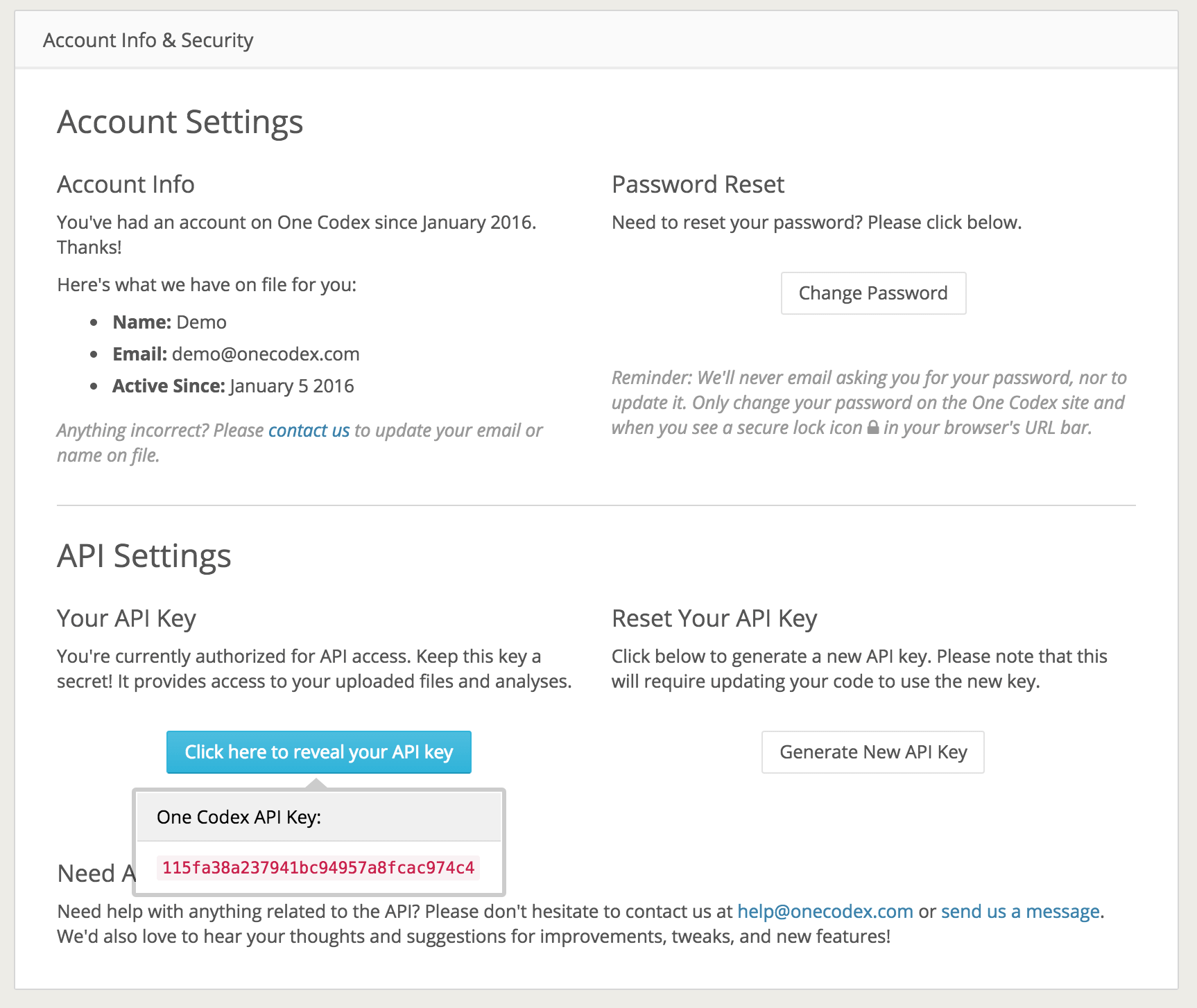
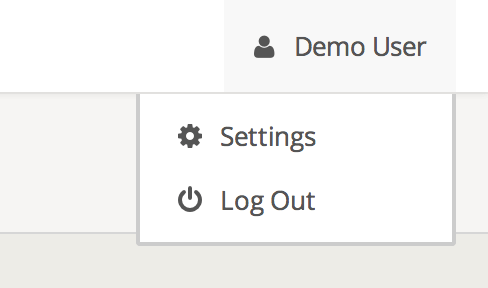 Within the [Settings](https://app.onecodex.com/settings) menu, you should see a panel called Account Info & Security. Click the button under "Your API Key" to reveal your key. Again, keep this key secret!
 ## Generating a new API key
If you lose access to your API key, accidentally publish it in a public place, or otherwise need to replace it, you can simply regenerate a new key on the [Settings](https://app.onecodex.com/settings) page:
## Generating a new API key
If you lose access to your API key, accidentally publish it in a public place, or otherwise need to replace it, you can simply regenerate a new key on the [Settings](https://app.onecodex.com/settings) page:
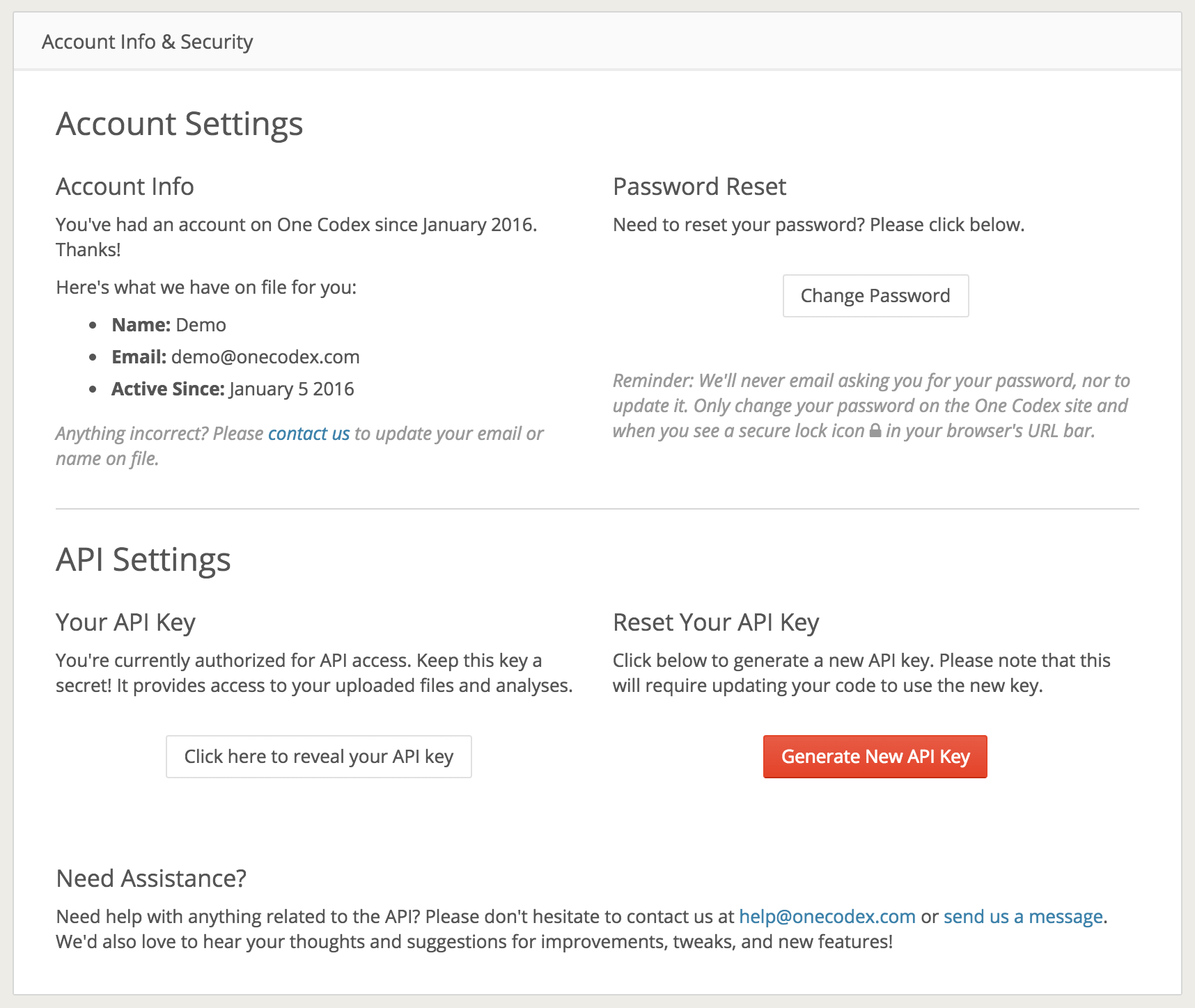 **Please note:** You will need to update any code, configuration files, or environmental variables using the key.